The Happinetz system is designed to provide internet filtering and control features for devices connected to it. When the Happinetz system is working properly, there are visible signs on your device that indicate its functionality.
Let's dive into them.
Please Note
1) When opening any website/App and if its not openeing. Do check if the category of that website/App is ON in the filters setting, If yes, then it will open .
For testing, note below point
After applying DNS configuration changes, ensure that the router or firewall is rebooted & browser or application is completely closed and reopened before testing the filtering behavior.
DNS policy updates may take 5–7 minutes to reflect fully due to caching at multiple levels, including:
How the loading page could look like if a website or app is blocked
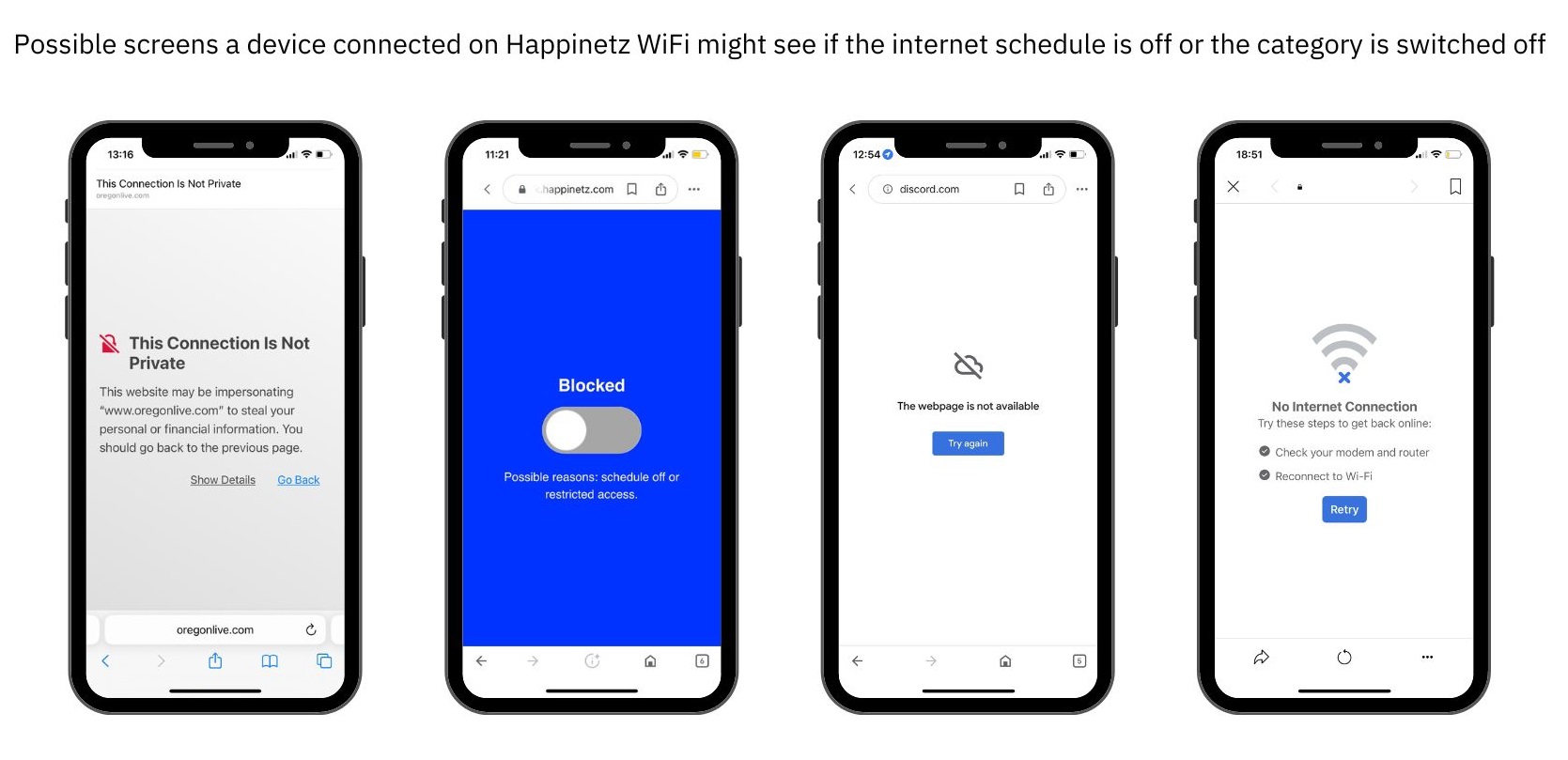
In case a website gets blocked (due to category off) the loading page can look like:
- Redirected to Happinetz Block Page
- Clash of redirect Error on Browser
- Browser does not have Internet
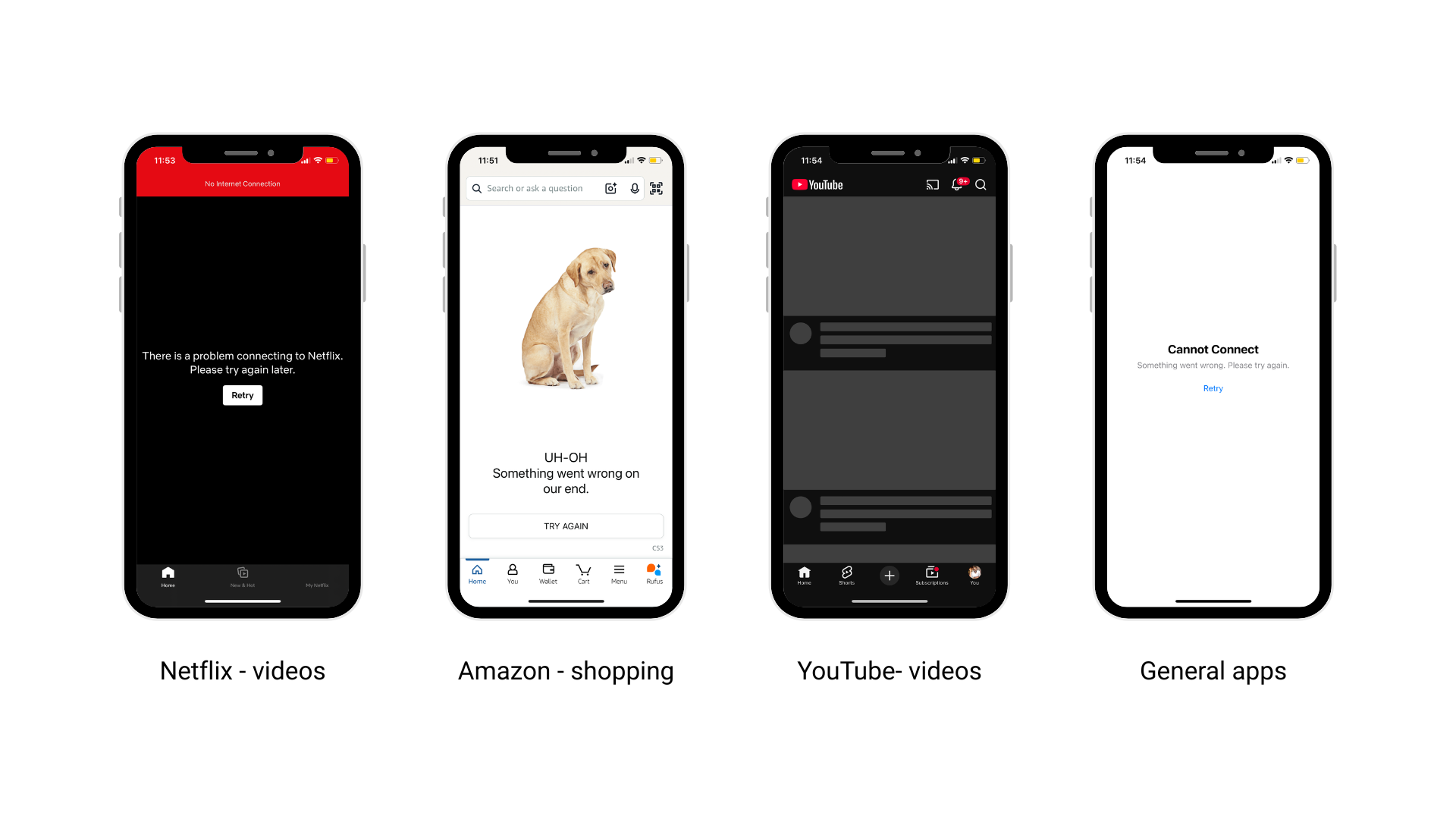
In case an app gets blocked (due to category off) the loading page can look like as below. You might see thumbnail or login screen of that App.
- App indicating an error that there is no internet
- App getting stuck on Home Screen and not moving ahead
- App getting a white or blank screen
How the Internet seems to be working even when the internet category is off
Sometimes though, even when the category off, the internet seems to be working by displaying the content. This happens because:
- Instagram, Facebook, Twitter or any Social media Apps
Because of the massive local cache that Social media Apps are able to often collect, it takes about five minutes for the app to be completely shut off. But if you try to open these on browser, it will be shown as blocked. - YouTube
Beyond the five minute cache, sometimes YouTube might play a few seconds of any video, especially ads. This is because of YouTube's local app settings on Android devices. Also note for all users YouTube works in restricted mode only. - OTT Apps
It is possible that the video continues playing because the content loading has already happened. This is applicable for YouTube videos as well. - Search Engine
Search engines like Google, Bing may show search results when you search for anything. However, none of the links, if clicked, will open. if that partcular category is OFF. Also they will have Always ON - Safe Search. - WhatsApp
Calling and texting via WhatsApp app only will always work on Happinetz, irrespective of category filtering. This is to ensure that some form of communication is always available on Happinetz in times of urgency etc. Web whatsapp will not work, if its OFF.
What to do when your Happinetz Campus is not able to generate Internet?
- The Happinetz Campus will not get any internet if your ISP’s internet goes down.
- You can Login in campus.happinetz.com and check troubleshooting stpes, if required.